Tracker Repositories
Learn how to version control your trackers in a Git repository. It is recommended to use a Git repository to store your trackers. You can connect a repository to your application instance to deploy and manage your trackers.
Tracker location
As a best practice, it is recommended to use a Git repository to store your trackers. You can connect a repository to your application instance to deploy and manage your trackers. When you push your changes to the deployment branch, the trackers will be synced to your application instance. You can select any branch as the deployment branch. By default, the deployment branch is the default branch of the repository.
Good to know
Your tracker yaml files should be in the .journium/trackers directory in your repository.
For example, if your repository is https://github.com/my-org/my-repo, your tracker yaml
files should be in the https://github.com/my-org/my-repo/.journium/trackers directory.
Recommended Layout
You can colocate your trackers in your source code repository (recommended) or in a seperate repository as well. Here's how your repository should look like for the best practice:
Linking a Git Repository
Follw the steps below to to link a git repository containing tracker yaml files to your application instance.
Connect Git Account
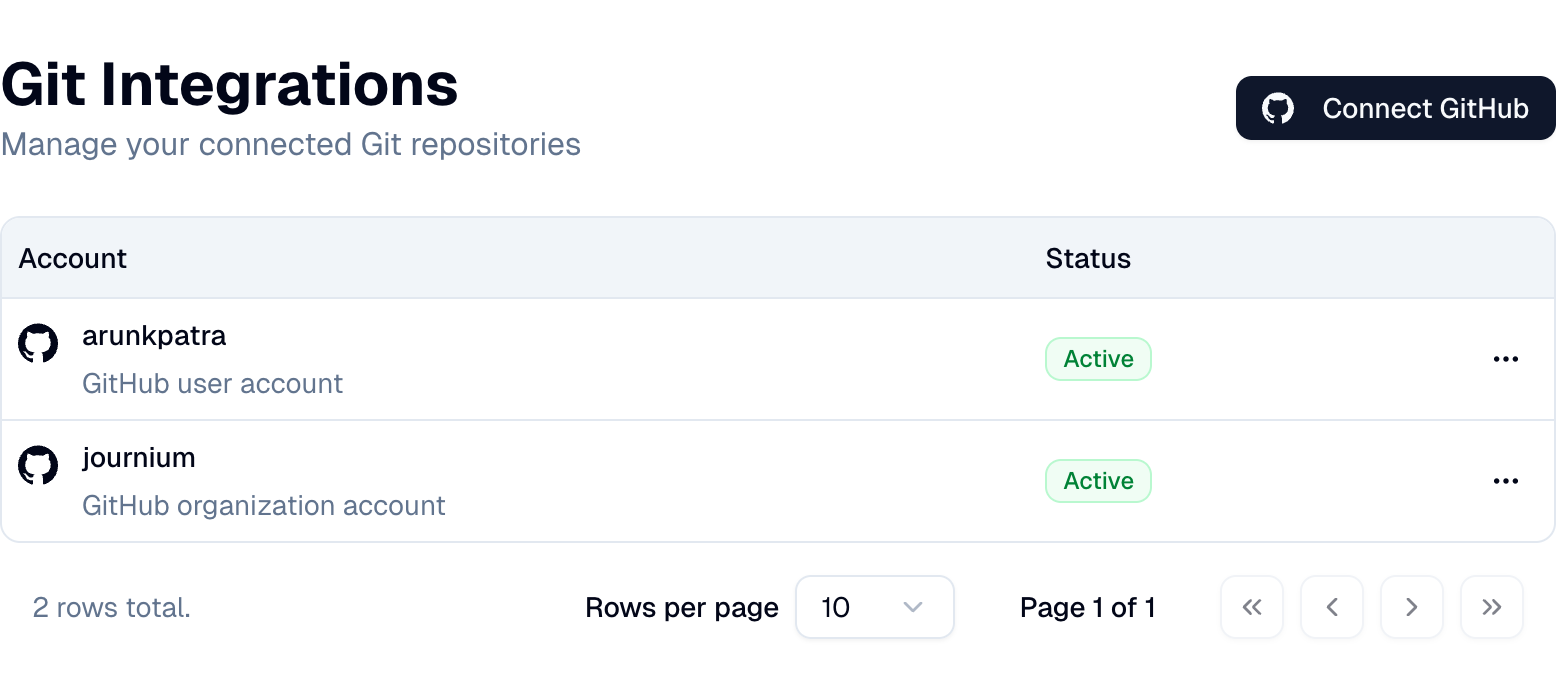
To link a repository, you need to have a Git integration configured in Journium. You can configure a Git integration at Integrations | Git by connecting your GitHub account. For other Git providers, drop us a note at support@journium.app.
The GitHub App for Journium is used to connect your GitHub repositories to your application instance. You can provide permissions to the specific repositories you want to connect to your application instance.
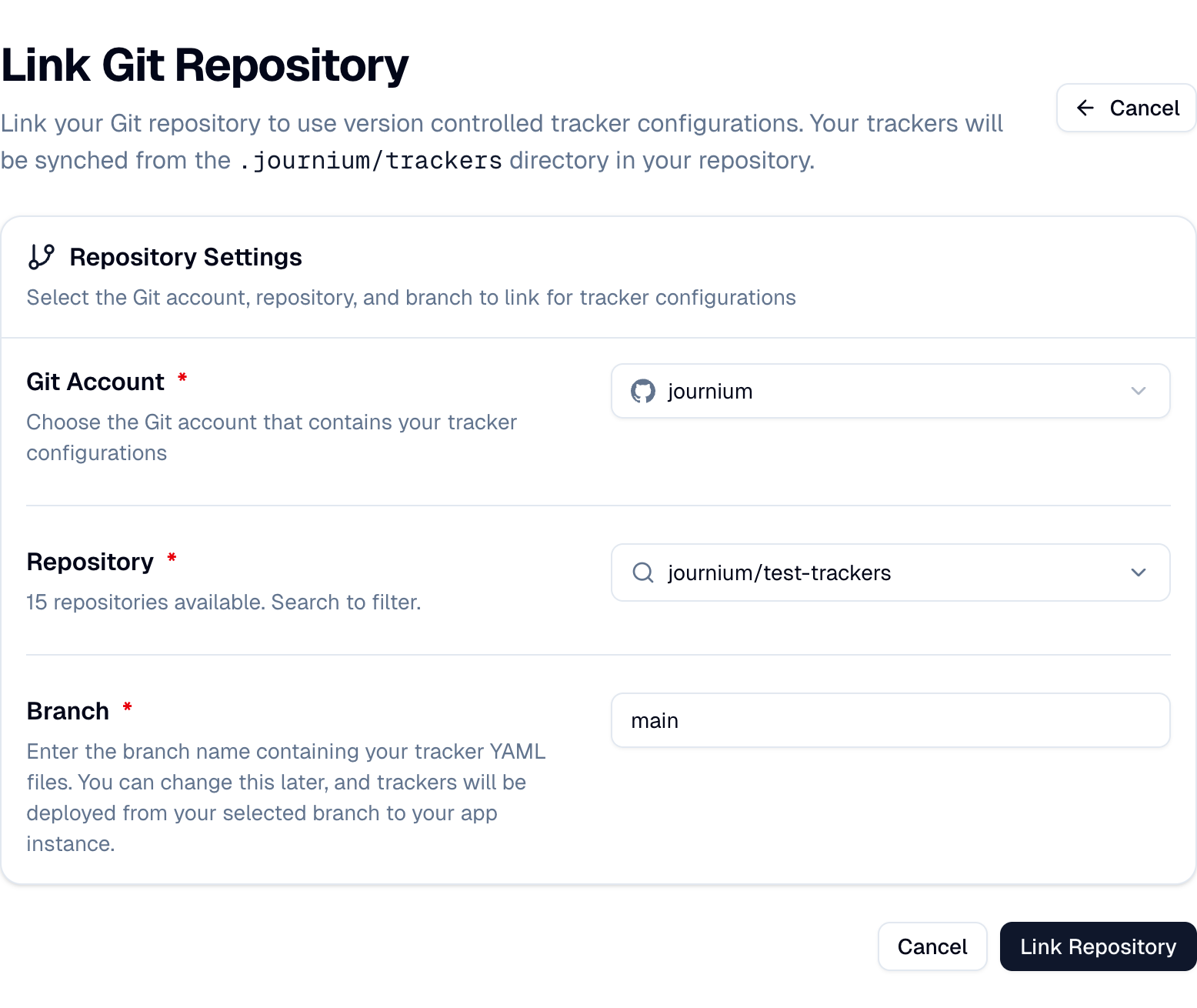
Link Repository
After you have configured a Git integration, you can link a repository to your application instance.
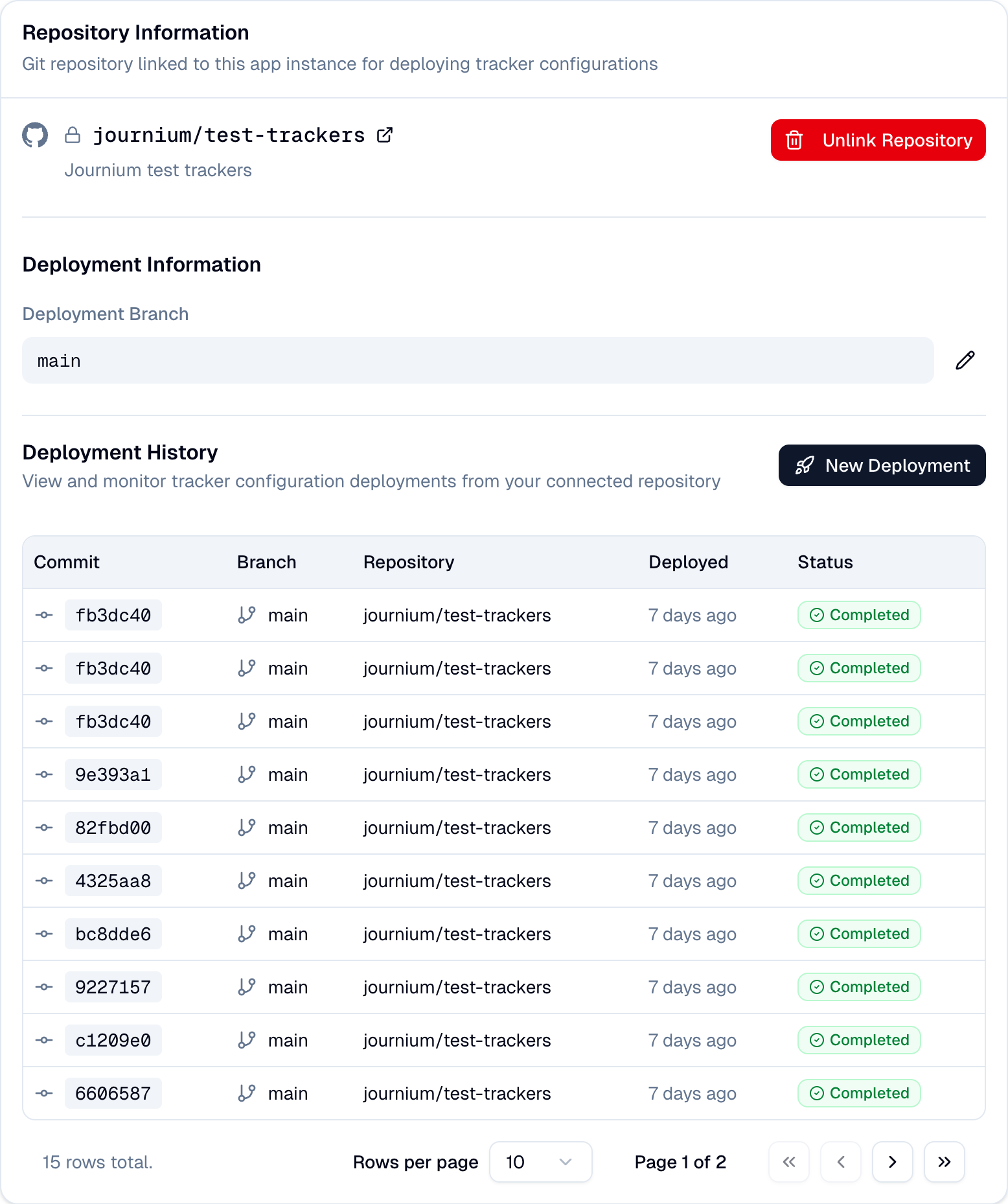
View Deployment History
Navigate to the Tracker Repositories page to view the deployment history of your trackers. When you push changes to the deployment branch, the trackers will be synced to your application instance. This is called a deployment. Files are deployed to the application instance only if the YAML is valid.
How is this guide?
Last updated on